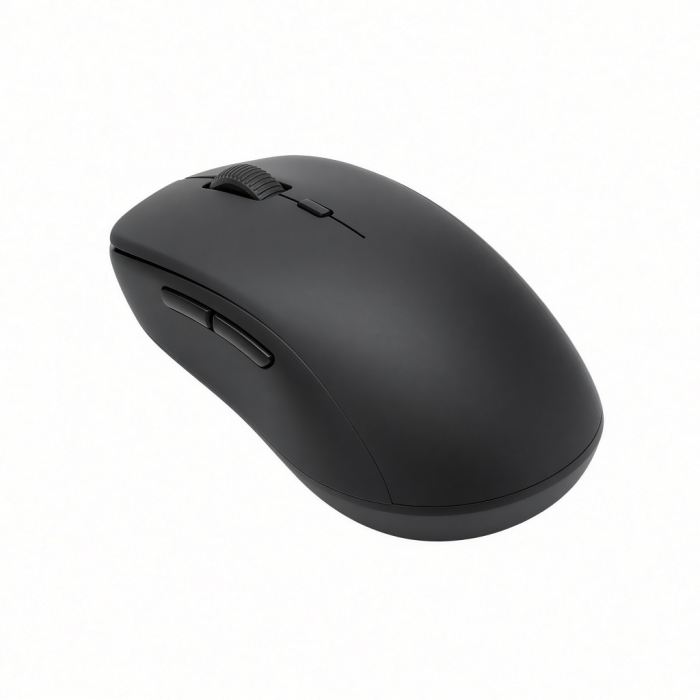
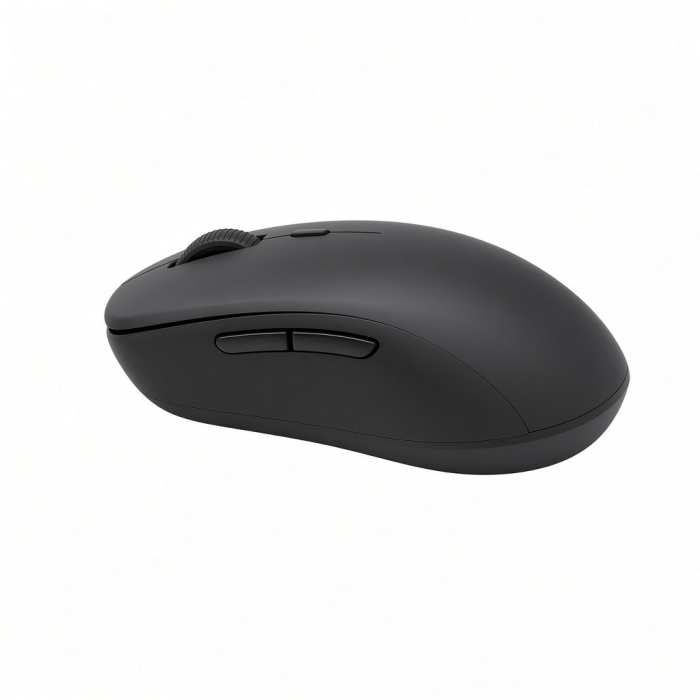
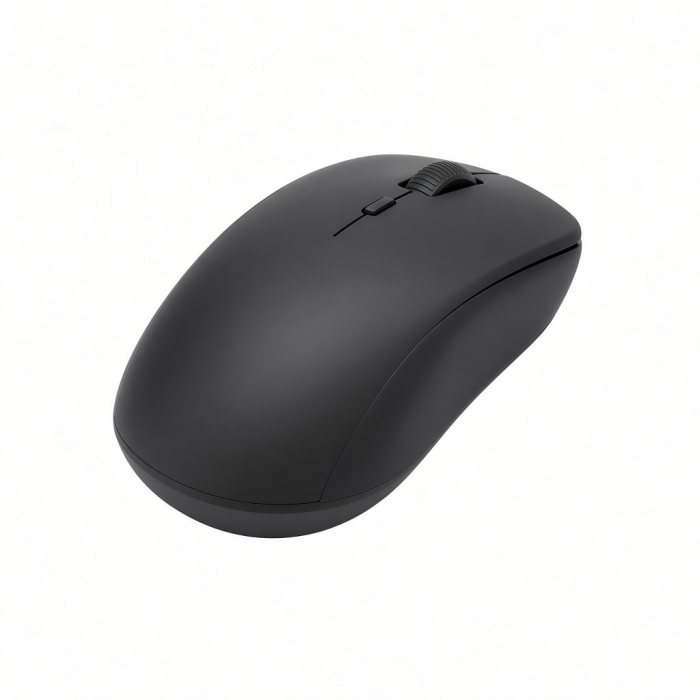
The Slim EX Wireless Mouse is designed for modern professionals who move seamlessly between devices and workspaces. Featuring dual Bluetooth channels and a 2.4GHz USB-C receiver, it allows instant switching across MacBook, desktops, laptops, and tablets, with no re-pairing required. Quiet click switches and a precision-machined scroll wheel deliver smooth, focused control, while its anodized aluminum construction adds durability and refined style. USB-C rechargeable with a removable battery, Slim EX Wireless Mouse combines long-lasting performance with thoughtful, future-ready design — the perfect companion for a clean, connected workflow.
Tech Specs
Dimensions & Weight
- Length: 4.34 in. / 11.03 cm
- Width: 2.41 in. / 6.12 cm
- Height: 1.12 in. / 2.85 cm
- Weight: 90.0 g / 3.17 oz
SKU (Color) / UPC
- ST-MEXY ( Citrus) / 810086364619
- ST-MEXP (Blush) / 810086364602
- ST-MEXB (Indigo) / 810086364596
- ST-MEXC (Space Black) / 810086363513
- ST-MEXS (Silver) / 810086363520
Technical Specifications
- Bluetooth Version: 5.3
- Bluetooth Connectivity: Connect with up to 2 separate devices
- 2.4GHz Connectivity: Connect to 1 device via 2.4GHz USB-C Receiver
- Charging Port: USB-C (Charging Only)
Compatibility
MacBook Neo
- MacBook Neo (13-inch, 2026)
MacBook Pro
- MacBook Pro M5 Max (16", 2026)
- MacBook Pro M5 Max (14", 2026)
- MacBook Pro M5 Pro (16", 2026)
- MacBook Pro M5 Pro (14", 2026)
- MacBook Pro M5 (14-inch, 2025)
- MacBook Pro M4 Pro/M4 Max (14” & 16”, 2024)
- MacBook Pro M4 (14-inch, 2024)
- MacBook Pro M3 Pro/M4 Max (14” & 16”, 2023)
- MacBook Pro M3 (14-inch, 2023)
- MacBook Pro M2 Pro/ M2 Max (14” & 16”, 2023)
- MacBook Pro M2 (13-inch, 2022)
- MacBook Pro M1 Pro/ M1 Max (14” & 16”, 2021)
- MacBook Pro M1 (13-inch, 2020)
- MacBook Pro 13-inch (2018-2025)
MacBook Air
- MacBook Air M5 (15", 2026)
- MacBook Air M5 (13", 2026)
- MacBook Air M4 (13” & 15”, 2025)
- MacBook Air M3 (13” & 15”, 2024)
- MacBook Air M2 (15-inch, 2023)
- MacBook Air M2 (13-inch, 2022)
- MacBook Air M1 (13-inch, 2020)
- MacBook Air (Retina, 13-inch, 2018 - 2020)
iMac
- iMac M3 (2024)
- iMac M2 (2023)
- iMac M1 (2021)
- iMac (Retina 5K, 27-inch, 2019-2020)
- iMac (Retina 4K, 21.5-inch, 2019)
Mac Mini
- Mac Mini M6 (2026)
- Mac Mini M5 Pro (2026)
- Mac Mini M4/ M4 Pro (2024)
- Mac Mini M2/ M2 Pro (2023)
- Mac Mini M1 (2021)
- Mac Mini (2018)
Mac Studio
- Mac Studio (2025)
- Mac Studio (2023)
- Mac Studio (2022)
iPad Pro
- iPad Pro M5 (13-inch, 2025)
- iPad Pro M5 (11-inch, 2025)
- iPad Pro M4 (13-inch, 2024)
- iPad Pro M4 (11-inch, 2024)
- iPad Pro 12.9-inch (2018-2022)
- iPad Pro 11-inch (2018-2022)
iPad Air
- iPad Air M4 (11" & 13", 2026)
- iPad Air M3 (11” & 13”, 2025)
- iPad Air M2 (11” & 13”, 2024)
- iPad Air 5th Generation (2022)
- iPad Air 4th Generation (2020)
Windows Devices
- Lenovo ThinkPad X1
- Microsoft Surface Studio
- Microsoft Surface Laptop
- Microsoft Surface Pro 10
- Microsoft Surface Pro 9
Important Info
What’s In The Box
- Slim EX Wireless Mouse
- USB-C to C (0.8M/2.6ft)
- 2.4GHz USB-C Receiver
- User Manual
Quick Guide
Frequently Asked Questions
For California Residents
How many devices can the mouse connect to via Bluetooth?
The mouse can pair with up to two devices via Bluetooth but can only be actively used with one device at a time.
Is the USB-C receiver required?
Only for 2.4 GHz wireless mode. Bluetooth mode does not require the receiver.
Does the mouse work with Windows 11?
Yes. The Slim EX mouse supports Windows 10 and Windows 11 via both Bluetooth and 2.4 GHz wireless.
Why can't the customer see the battery level on macOS?
Battery level reporting is not supported on macOS for this mouse. This is expected behavior and not a defect.
Does the Slim EX mouse work in wired mode?
No. This mouse is wireless only and does not support wired data use.
-509x403.png "QICHENG TRADE LIMITED")