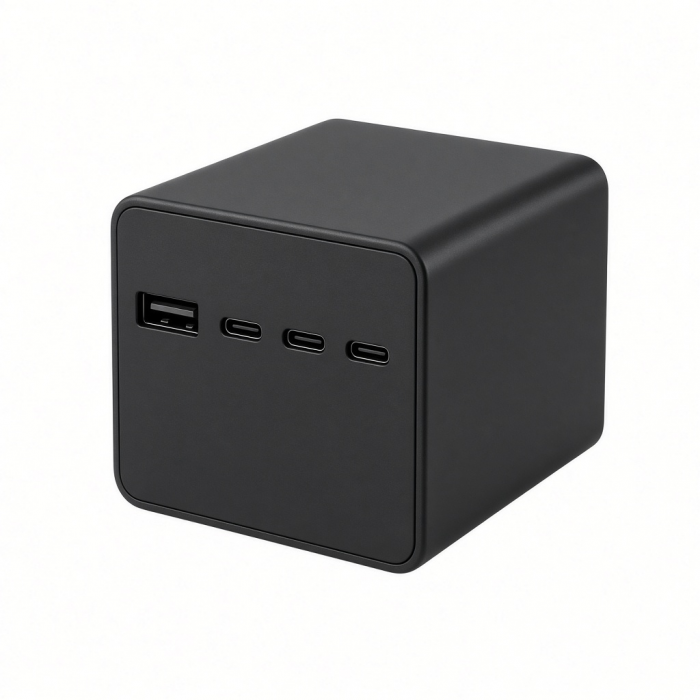
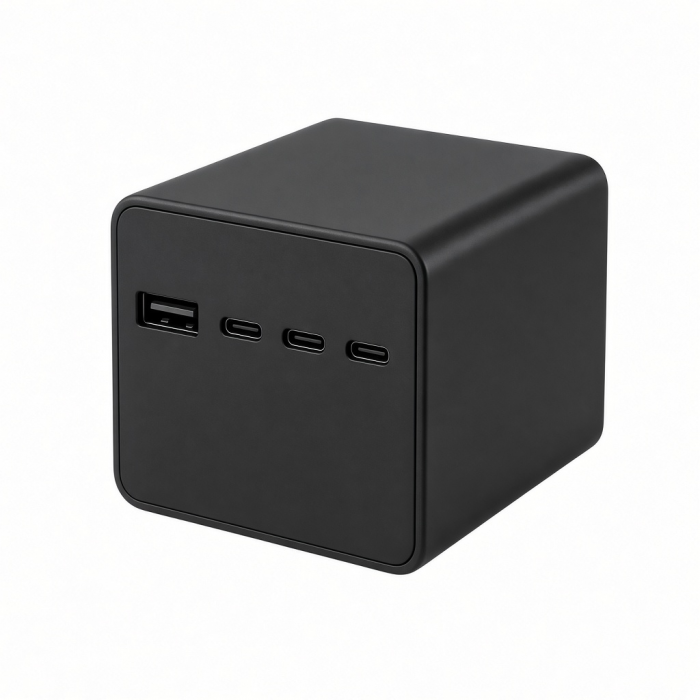
The ChargeView 140W Desktop Charger brings intelligent, high-performance power to the modern workspace with a refined desk-first design and real-time charging visibility. Built for professionals and hybrid workers managing multiple devices, ChargeView delivers fast, reliable USB-C power while its integrated digital display reveals exactly how power is distributed across connected devices.
Advanced GaN technology enables efficient, high-output charging in a compact form that replaces cluttered adapters with one calm, capable power hub. With universal USB-C compatibility and a precision dual-orientation stand, ChargeView fits naturally into modern desks built around laptops, tablets, phones, and everyday accessories.
Designed to simplify multi-device charging and bring clarity to everyday workflows, ChargeView delivers visible power in a premium form that feels effortless to use every day.
Tech Specs
Dimensions & Weight
- Length: 3 in / 7.6 cm
- Width: 3.04 in / 7.7 cm
- Height: 1.5 in / 3.8 cm
- Weight: 16.4 oz / 465 g
SKU / UPC
- ST-C4CV140C-US / 810086362899
- ST-C4CV140C-AU / 810086362851
- ST-C4CV140C-EU / 810086362868
- ST-C4CV140C-KR / 810086362875
- ST-C4CV140C-UK / 810086362882
Technical Specifications
- Smart Display: Shows real time charging status and port activity
- Total Wattage Output: 140W
- USB-C Port 1 & Port 2: Up to 140W output each
- USB-C Port 3 & Port 4: Up to 40W output each
Compatibility
- Compatible with most USB-C Android and Windows devices
MacBook Neo
- MacBook Neo (13-inch, 2026)
MacBook Pro
- MacBook Pro M5 Max (16", 2026)
- MacBook Pro M5 Max (14", 2026)
- MacBook Pro M5 Pro (16", 2026)
- MacBook Pro M5 Pro (14", 2026)
- MacBook Pro M5 (14-inch, 2025)
- MacBook Pro M4 Max (16", 2024)
- MacBook Pro M4 Max (14", 2024)
- MacBook Pro M4 Pro (16", 2024)
- MacBook Pro M4 Pro (14", 2024)
- MacBook Pro M4 (14-inch, 2024)
- MacBook Pro M3 Pro/M4 Max (14” & 16”, 2023)
- MacBook Pro M3 (14-inch, 2023)
- MacBook Pro M2 Pro/ M2 Max (14” & 16”, 2023)
- MacBook Pro M2 (13-inch, 2022)
- MacBook Pro M1 Pro/ M1 Max (14” & 16”, 2021)
- MacBook Pro M1 (13-inch, 2020)
MacBook Air
- MacBook Air M5 (13" & 15", 2026)
- MacBook Air M4 (13” & 15”, 2025)
- MacBook Air M3 (13” & 15”, 2024)
- MacBook Air M2 (15-inch, 2023)
- MacBook Air M2 (13-inch, 2022)
- MacBook Air M1 (13-inch, 2020)
- MacBook Air (Retina, 13-inch, 2018 - 2020)
iPad Pro
- iPad Pro M5 (11” & 13”, 2025)
- iPad Pro M4 (11” & 13”, 2024)
- iPad Pro 12.9-inch (2018-2022)
- iPad Pro 11-inch (2018-2022)
iPad Air
- iPad Air M4 (11" & 13", 2026)
- iPad Air M3 (11” & 13”, 2025)
- iPad Air M2 (11” & 13”, 2024)
- iPad Air 5th Generation (2022)
- iPad Air 4th Generation (2020)
iPad
- iPad (A16, 2025)
- iPad 10th Generation (2022)
iPad Mini
- iPad Mini (A17 Pro, 2024)
- iPad Mini 6th Generation (2021)
iPhone
- iPhone Duo (2026)
- iPhone 18 Pro Max (2026)
- iPhone 18 Pro (2026)
- iPhone 17e (2026)
- iPhone Air (2025)
- iPhone 17 Pro Max (2025)
- iPhone 17 Pro (2025)
- iPhone 17 (2025)
- iPhone 16e (2025)
- iPhone 16 Pro Max (2024)
- iPhone 16 Pro (2024)
- iPhone 16 Plus (2024)
- iPhone 16 (2024)
- iPhone 15 Pro Max (2023)
- iPhone 15 Pro (2023)
- iPhone 15 Plus (2023)
- iPhone 15 (2023)
- iPhone 14 Pro Max (2022)
- iPhone 14 Pro (2022)
- iPhone 14 Plus (2022)
- iPhone 14 (2022)
- iPhone 13 Pro Max (2021)
- iPhone 13 Pro (2021)
- iPhone 13 (2021)
- iPhone 13 Mini (2021)
- iPhone 12 Pro Max (2020)
- iPhone 12 Pro (2020)
- iPhone 12 (2020)
- iPhone 12 Mini (2020)
- iPhone X, XR, XS, XS Max
Apple Watch
- Apple Watch Series 1-12
- Apple Watch Ultra 1-4
- Apple Watch Ultra
- Apple Watch Series
- Apple Watch SE
AirPods
- AirPods Max 2 (USB-C, 2026)
- AirPods Max
- AirPods Pro
- AirPods
Important Info
What’s In The Box
- ChargeView 140W Desktop Charger
- Stand
- C7 Power Cable
- User Manual
Quick Guide
Quick Guide
Frequently Asked Questions
FAQ
For California Residents
See CA Proposition 65 Warning
What do the ports support?
The charger has 4 USB-C ports with different charging standards:
Port C1: USB PD 3.2 with AVS (Adjustable Voltage Supply) technology
Ports C2, C3, C4: USB PD 3.1 with PPS (Programmable Power Supply) technology
All four ports support simultaneous charging. The charger dynamically distributes power based on each connected device's requirements.
What does the LCD display show?
The built-in smart display shows real-time power output for each port individually. This lets you see exactly how much wattage each device is drawing, so you can verify your devices are charging properly without guessing.
Can I charge a MacBook and other devices at the same time?
Yes. The ChargeView 140W can charge a MacBook alongside phones, tablets, and other USB-C devices. When multiple devices are connected, the total 140W is dynamically shared across the active ports. For best results, connect your highest-power device to Port C1.
Can I use the charger vertically and horizontally?
Yes. The ChargeView 140W comes with a modular stand that lets you position the charger either vertically or horizontally on your desk.
How does power sharing work when multiple devices are connected?
The charger uses smart power distribution to dynamically allocate power based on the requirements of connected devices. When you connect additional devices, the charger automatically renegotiates power delivery across all ports. Refer to the Power Distribution article for the specific wattage allocation table.
-509x403.png "QICHENG TRADE LIMITED")