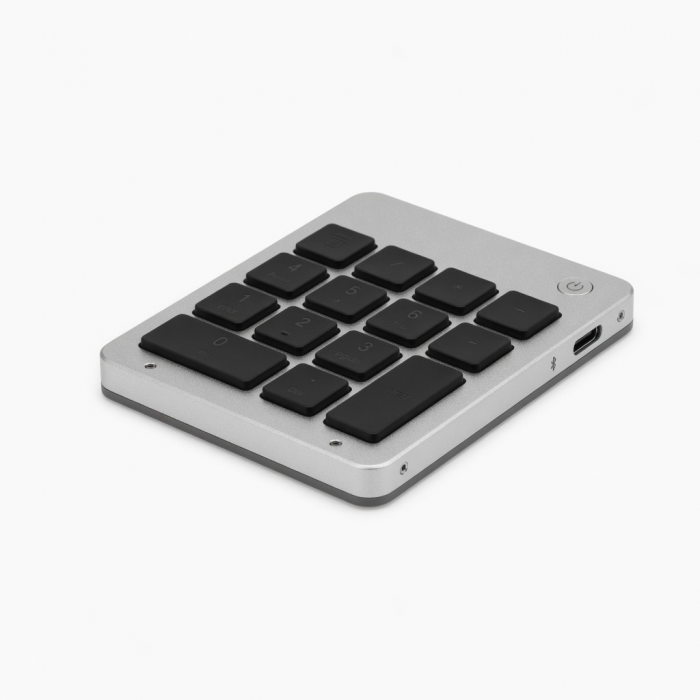
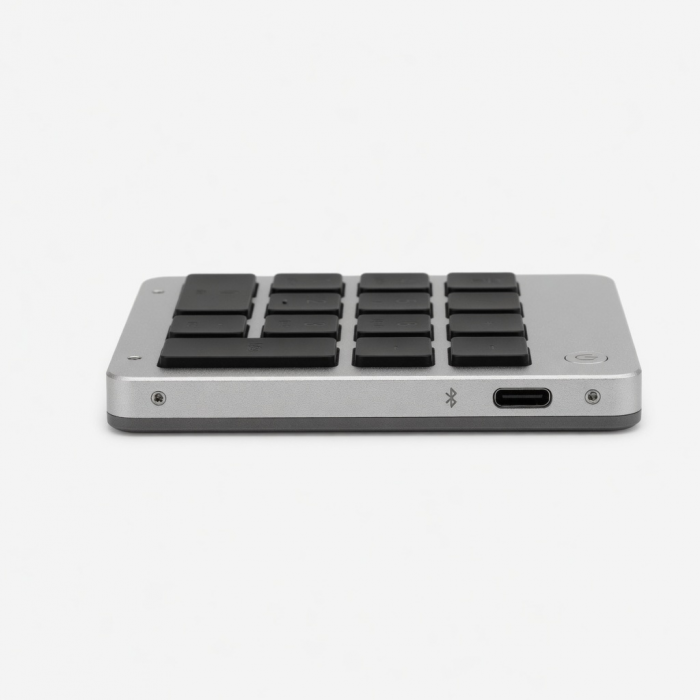
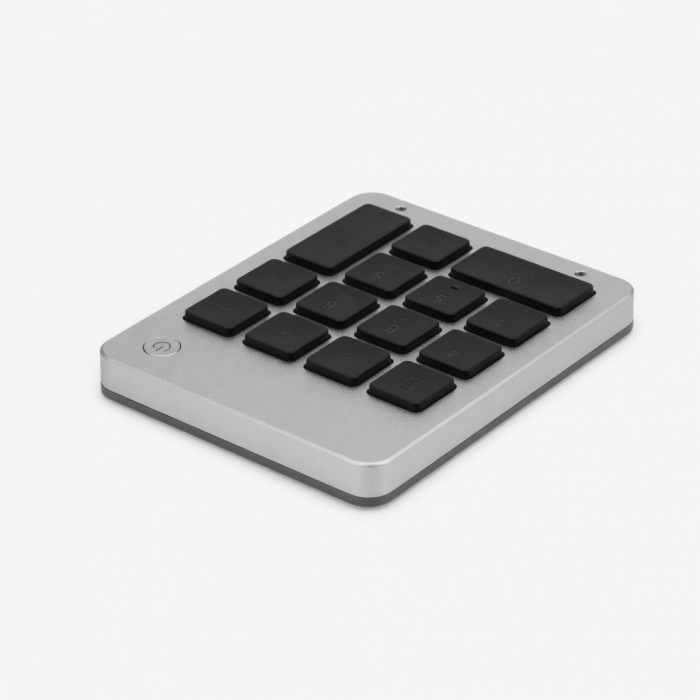
The Aluminum Slim Wireless Keypad is the perfect accessory to complete your workspace. Featuring a full numeric keypad, the Aluminum Slim Wireless Keypad is a great wireless solution for extending your existing keyboard. With a slim profile and sophisticated finish, this keypad offers both style and functionality.
Tech Specs
What’s In The Box
Slim Bluetooth Keypad, MicroUSB Cable, and User Manual
Connector Type
Bluetooth
Dimensions & Weight
4.5 x 3.125 x 0.31 inches, 3.5 ounces
Model # / UPC
ST-SALKPS / 879961006372 (silver)
ST-SALKPG / 879961006389 (gold)
ST-SALKPM / 879961006396 (space gray)
Quick Guide
Download
Frequently Asked Questions
FAQ
California Residents
See CA Proposition 65 Warning
Compatibility
MacBook Neo
- MacBook Neo (13-inch, 2026)
MacBook
- MacBook Pro M5 Max (16-inch, 2026)
- MacBook Pro M5 Max (14-inch, 2026)
- MacBook Pro M5 Pro (14-inch, 2026)
- MacBook Pro 16-inch (2019 - 2024)
- MacBook Pro 14-inch (2021 - 2025)
- MacBook Pro 13-inch (2016 - 2023)
- MacBook Pro 15-inch (2016 - 2019)
- MacBook Air 15-inch (2022 - 2025)
- MacBook Air 13-inch (2018 - 2025)
Mac
- iMac (24-inch, 2021 - 2024)
- iMac (Retina 4K, 21.5-inch, 2017)
- iMac (Retina 5K, 27-inch, 2019–2020)
- iMac (Retina 5K, 27-inch, 2017)
- iMac Pro (2017)
- Mac Mini M6 (2026)
- Mac Mini M5 Pro (2026)
- Mac mini (2018 - 2025)
- Mac Studio (2022 - 2025)
- Mac Pro (2023)
iPad
- iPad Air (M4, 2026)
- iPad Pro 12.9-inch (2018 - 2025)
- iPad Pro 11-inch (2018 - 2025)
- iPad Air 4th, 5th, 6th gen (M2)
- iPad 10th, 11th gen
- iPad mini 6th, 7th gen
iPhone
- iPhone 18 Pro Max (2026)
- iPhone 18 Pro (2026)
- iPhone 17e
- iPhone 17 Pro Max (2025)
- iPhone 17 Pro (2025)
- iPhone 17 (2025)
- iPhone 16 Pro Max (2024)
- iPhone 16 Pro (2024)
- iPhone 16 Plus (2024)
- iPhone 16 (2024)
- iPhone 15 Pro Max (2023)
- iPhone 15 Pro (2023)
- iPhone 15 Plus (2023)
- iPhone 15 (2023)
- iPhone 14 Pro Max (2022)
- iPhone 14 Pro (2022)
- iPhone 14 Plus (2022)
- iPhone 14 (2022)
- iPhone 13 Pro Max (2021)
- iPhone 13 Pro (2021)
- iPhone 13 (2021)
- iPhone 13 Mini (2021)
- iPhone 12 Pro Max (2020)
- iPhone 12 Pro (2020)
- iPhone 12 (2020)
- iPhone 12 Mini (2020)
- iPhone 16e
- iPhone 11 Series (Pro, Pro Max)
- iPhone X/ XR/ XS/ XS Max
Windows
- Microsoft Surface Pro 4/5/6/7/8/9
- Microsoft Surface Laptop Studio
- Lenovo ThinkPad X13 Gen 2
- Lenovo X1 Gen 1 Carbon
- Lenovo Yoga 720-13IKB
- Lenovo Legion S7 15ACH6
- Dell XPS 13 9315
- HP Spectre & other USB-C Devices
Important:Does not support Windows 7 or 8, please only use with Windows 10/11 devices.
To connect to Windows 10/11 devices, please add your keypad through PC's Control Panel.Click here for a Windows 10 pairing guide.
Can I connect the keypad to multiple devices?
No, it only pairs with one device. Remove it from the first device, then pair it again with the new one.
Is this compatible with Windows PCs?
Yes, it pairs via Bluetooth with most devices. Follow the pairing steps for your PC, laptop, or mobile device.
Is there a backlight built into the keypad?
No, this keypad does not have backlit keys.
Can I use this keypad with international keyboard settings?
It uses a U.S. English layout, so some symbol keys may not match in other languages.
Why aren't the number keys working when typing?
NumLock may be off. On macOS, disable "Mouse Keys." On Windows, enable NumLock via the On-Screen Keyboard.
-509x403.png "QICHENG TRADE LIMITED")