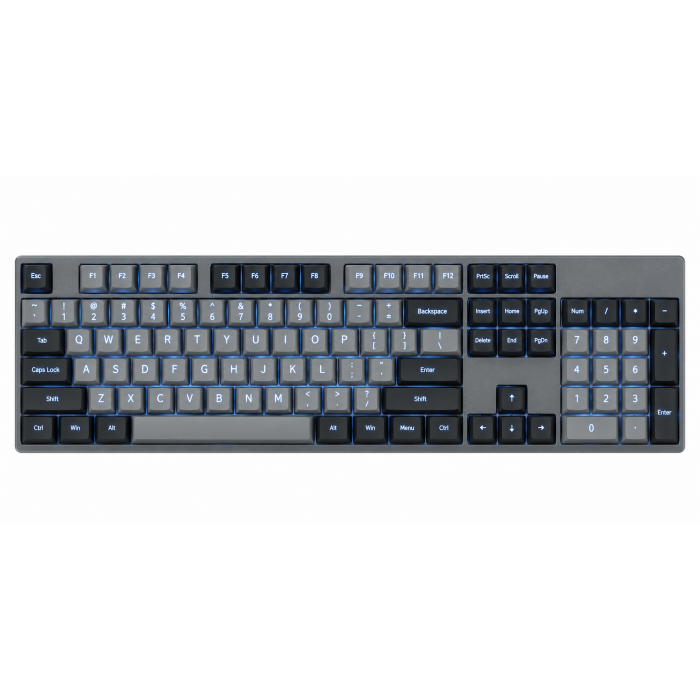
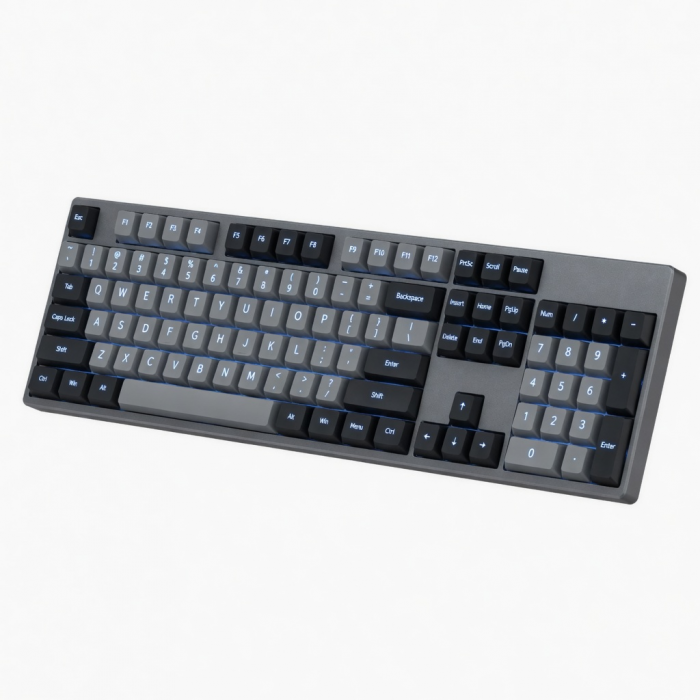
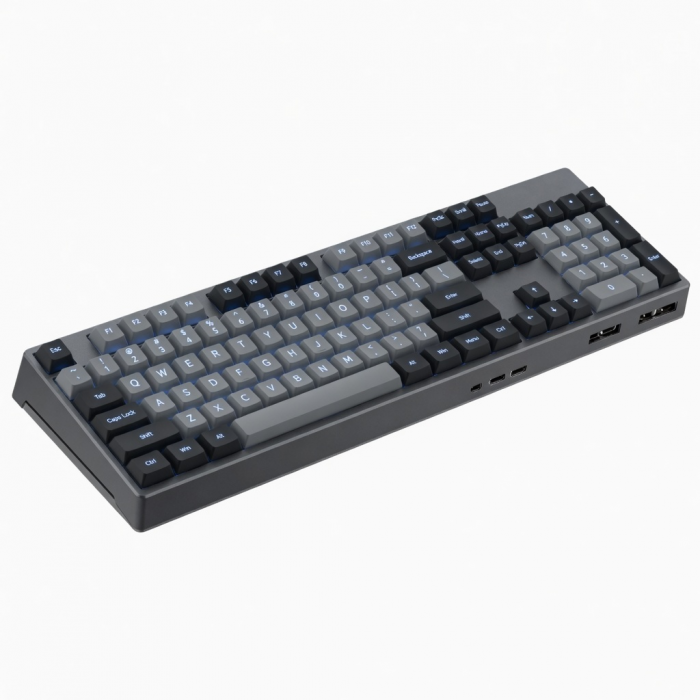
Introducing our first full-size mechanical keyboard designed to seamlessly function with both Mac and Windows systems. Available in Light and Dark color variants, this rechargeable keyboard features a 108-key layout with a numeric keypad, low-profile brown switches, four-device connectivity, 14 different backlight patterns, and dedicated Windows and macOS input keys. Its slim, ergonomic design boasts a sleek aluminum enclosure, removable keycaps, and adjustable feet for optimum efficiency and comfort.
Tech Specs
Dimensions & Weight
- Length: 17.3 in. / 42.9 cm
- Width: 4.90 in. / 12.3 cm
- Height: 0.94 in. / 2.4 cm
- Weight: 22.72 oz / 644.1 g
SKU / UPC
- ST-KSM3LT-EN (Light) / 810086361939
- ST-KSM3DK-EN (Dark) / 810086361946
Technical Specifications
- Bluetooth Version: 5.0
- Bluetooth Connectivity: Connect with up to 2 separate devices
- 2.4Ghz Connectivity: Connect to 1 device via 2.4Ghz USB-A Receiver
- Wired Connectivity: Connect to 1 device via USB-C Cable
- Port Type: USB-C (Charging and Wired Mode)
- Switch Type: Tactile Low-Profile Brown Switches
Compatibility
MacBook Neo
- MacBook Neo (13-inch, 2026)
MacBook
- MacBook Pro M5 Max (14" & 16", 2026)
- MacBook Pro M5 Pro (14" & 16", 2026)
- MacBook Pro 16-inch (2019 - 2024)
- MacBook Pro 14-inch (2021 - 2025)
- MacBook Pro 13-inch (2016 - 2023)
- MacBook Pro 15-inch (2016 - 2019)
- MacBook Air 15-inch (2022 - 2025)
- MacBook Air 13-inch (2018 - 2025)
Mac/iMac
- iMac 24-inch (2021 - 2024)
- iMac 21.5-inch (2017 - 2021)
- iMac 27-inch (2017 – 2020)
- iMac Pro (2017)
- Mac Mini M6 (2026)
- Mac Mini M5 Pro (2026)
- Mac mini (2018 - 2024)
- Mac Studio (2022 - 2025)
iPad
- iPad Air M4 (11" & 13", 2026)
- iPad Pro 12.9-inch (2021- 2025)
- iPad Pro 11-inch (2018 - 2025)
- iPad Air (2020 - 2025)
- iPad (2022 - 2025)
- iPad mini (2021 - 2024)
iPhone
- iPhone 18 Pro Max (2026)
- iPhone 18 Pro (2026)
- iPhone 17e
- iPhone Air (2025)
- iPhone 17 Pro Max (2025)
- iPhone 17 Pro (2025)
- iPhone 17 (2025)
- iPhone 16 Pro Max (2024)
- iPhone 16 Pro (2024)
- iPhone 16 Plus (2024)
- iPhone 16 (2024)
- iPhone 15 Pro Max (2023)
- iPhone 15 Pro (2023)
- iPhone 15 Plus (2023)
- iPhone 15 (2023)
- iPhone 16e
- iPhone 11 Series (Pro, Pro Max)
- iPhone X/ XR/ XS/ XS Max
Windows
- Microsoft Surface Pro 4/5/6/7/8/9
- Microsoft Surface Laptop Studio
- Lenovo ThinkPad X13 Gen 2
- Lenovo X1 Gen 1 Carbon
- Lenovo Yoga 720-13IKB
- Lenovo Legion S7 15ACH6
- Dell XPS 13 9315
- HP Spectre & other USB-C Devices
* Not recommended for 2011 & older Mac devices.
Important Info
What's In The Box
- SM3 Slim Mechanical Backlit Bluetooth Keyboard
- Windows Keycaps (Windows keys, Left Alt key, Right Alt key)
- 2.4GHz USB Receiver (attached to the bottom of the keyboard)
- 1.2m USB-C to USB-C Cable
- User Manual
Quick Guide
Frequently Asked Questions
For California Residents
Are there plans for differently configured keyboards in the future?
Yes! We have plans for keyboards with different configuration styles.
Could I use this keyboard between Windows and Mac devices?
The SM3 keyboard can be used with both Mac and Windows computers.
The keyboard is set up for Mac use by default. The key labels match Mac keys. To support Windows users, the box includes extra keycaps:
2 Windows (WIN) keys
2 Alt keys
You may replace the Mac keycaps with these if you prefer a Windows-style layout.
How to swap between Mac and Windows modes?
The keyboard starts in Mac mode by default. You can switch modes based on the computer you are using.
O key = Mac mode
P key = Windows mode
Steps:
Press and hold the FN key.
While holding FN, press O for Mac or P for Windows.
Release the keys.
The selected key will briefly flash to confirm the change.
When the flashing stops, the keyboard is set to the selected mode.
Why is the ESC key flashing?
If the ESC key is flashing, the keyboard is set so the F1–F12 keys work as standard function keys instead of media shortcuts.
This setting is controlled using the FN + ESC shortcut.
What this means:
F1–F12 work as normal function keys
Media controls (volume, brightness, play/pause) require holding the FN key
To switch back:
Press FN + ESC again.
The ESC key will stop flashing.
When the ESC key stops flashing, the media shortcut keys work normally without holding FN.
Is there a way to extend the duration of the backlights?
No. Our keyboards include a built-in power-saving feature:
Backlight decreases to Level 1 after 1 minute of inactivity Backlight turns off after 3 minutes of inactivity Keyboard enters sleep mode after 30 minutes of inactivity
This feature cannot be turned off as it is embedded in the keyboard’s firmware.
-509x403.png "QICHENG TRADE LIMITED")