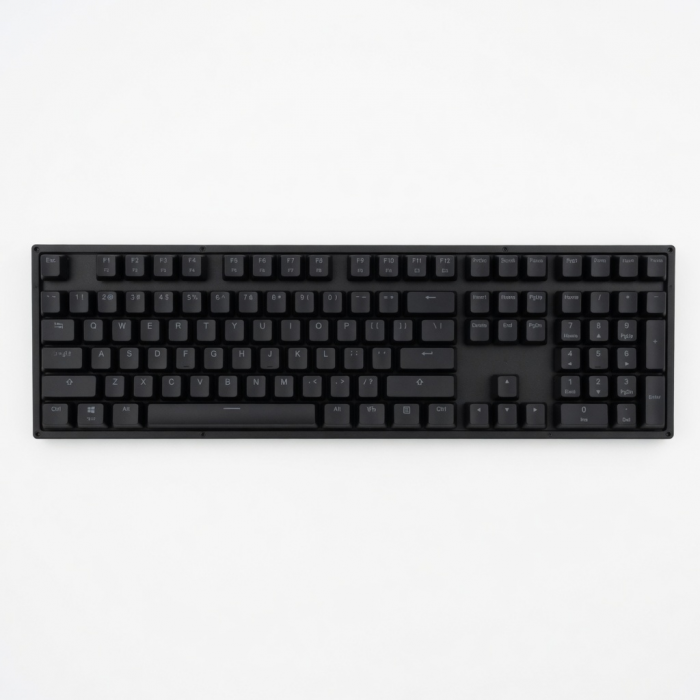
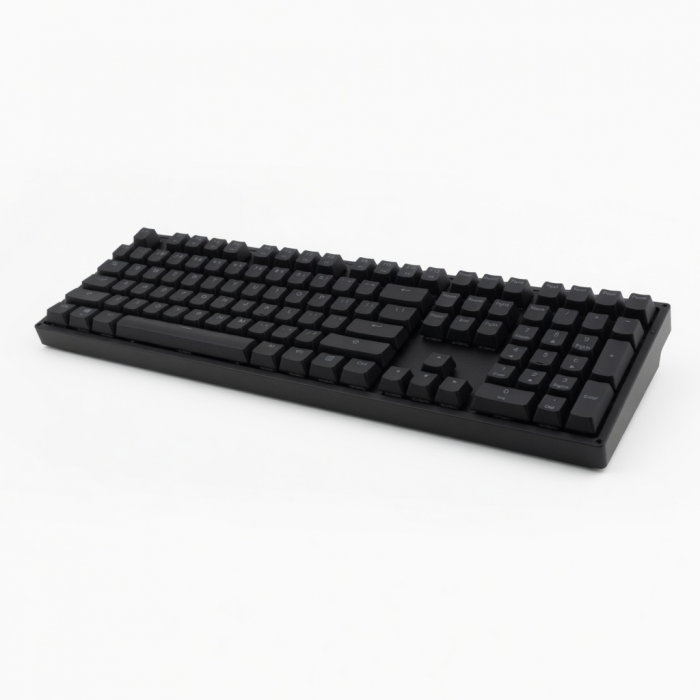
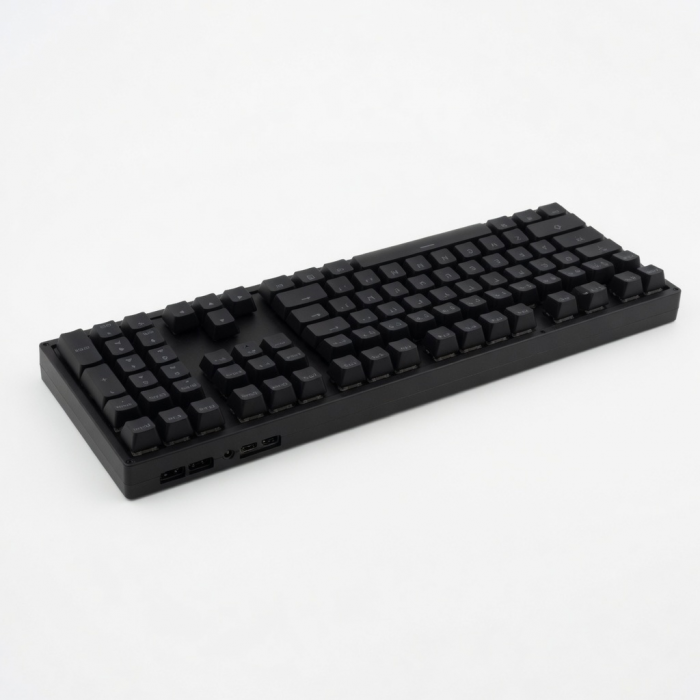
The Slim EX3 Wireless Keyboard represents the next generation of professional keyboards built for fluid, cross-platform productivity. A full-size keyboard for those who demand precision and command. From spreadsheets to creative suites, the EX3 offers clarity, comfort, and complete control through a dedicated numpad, navigation cluster, and quiet scissor keys that feel as good as they look. It features 4-in-1 multi-device connectivity (3x Bluetooth + 2.4GHz dongle), instant OS key remapping, and a long-lasting rechargeable battery providing up to five weeks of power on a single charge. Sustainably designed with a removable battery that meets EU 2027 replaceability standard, the Slim EX3 Wireless Keyboard combines performance with responsibility.
Tech Specs
Dimensions & Weight
- Length: 16.79 in. / 42.64 cm
- Width: 4.70 in. / 11.93 cm
- Height: 0.66 in. / 1.67 cm
- Weight: 552 g / 19.47 oz
SKU (Color) / UPC
- ST-KEX3C-EN (Space Black) / 810086363308
- ST-KEX3S-EN (Silver) / 810086363360
Technical Specifications
- Bluetooth version: 5.3
- Bluetooth Connectivity: Connect with up to 3 separate devices
- 2.4 GHz Connectivity: Connect to 1 device via 2.4 GHz USB-C Receiver
- Charging Port: USB-C (Charging Only)
Compatibility
MacBook Neo
- MacBook Neo (13-inch, 2026)
MacBook Pro
- MacBook Pro M5 Max (16", 2026)
- MacBook Pro M5 Max (14", 2026)
- MacBook Pro M5 Pro (16", 2026)
- MacBook Pro M5 Pro (14", 2026)
- MacBook Pro M5 (14-inch, 2025)
- MacBook Pro M4 Pro/M4 Max (14” & 16”, 2024)
- MacBook Pro M4 (14-inch, 2024)
- MacBook Pro M3 Pro/M4 Max (14” & 16”, 2023)
- MacBook Pro M3 (14-inch, 2023)
- MacBook Pro M2 Pro/ M2 Max (14” & 16”, 2023)
- MacBook Pro M2 (13-inch, 2022)
- MacBook Pro M1 Pro/ M1 Max (14” & 16”, 2021)
- MacBook Pro M1 (13-inch, 2020)
- MacBook Pro 13-inch (2018-2025)
MacBook Air
- MacBook Air M5 (15", 2026)
- MacBook Air M5 (13", 2026)
- MacBook Air M4 (13” & 15”, 2025)
- MacBook Air M3 (13” & 15”, 2024)
- MacBook Air M2 (15-inch, 2023)
- MacBook Air M2 (13-inch, 2022)
- MacBook Air M1 (13-inch, 2020)
- MacBook Air (Retina, 13-inch, 2018 - 2020)
iMac
- iMac M3 (2024)
- iMac M2 (2023)
- iMac M1 (2021)
- iMac (Retina 5K, 27-inch, 2019-2020)
- iMac (Retina 4K, 21.5-inch, 2019)
Mac Mini
- Mac Mini M6 (2026)
- Mac Mini M5 Pro (2026)
- Mac Mini M4/ M4 Pro (2024)
- Mac Mini M2/ M2 Pro (2023)
- Mac Mini M1 (2021)
- Mac Mini (2018)
Mac Studio
- Mac Studio (2025)
- Mac Studio (2023)
- Mac Studio (2022)
iPad Pro
- iPad Pro M5 (13-inch, 2025)
- iPad Pro M5 (11-inch, 2025)
- iPad Pro M4 (13-inch, 2024)
- iPad Pro M4 (11-inch, 2024)
- iPad Pro 12.9-inch (2018-2022)
- iPad Pro 11-inch (2018-2022)
iPad Air
- iPad Air M4 (11" & 13", 2026)
- iPad Air M3 (11” & 13”, 2025)
- iPad Air M2 (11” & 13”, 2024)
- iPad Air 5th Generation (2022)
- iPad Air 4th Generation (2020)
iPhone
- iPhone 18 Pro Max (2026)
- iPhone 18 Pro (2026)
- iPhone 17e
Windows Devices
- Lenovo ThinkPad X1
- Microsoft Surface Studio
- Microsoft Surface Laptop
- Microsoft Surface Pro 10
- Microsoft Surface Pro 9
Important Info
What's In The Box
- Slim EX3 Wireless Keyboard
- USB-C to C (0.8M/2.6ft)
- 2.4GHz USB-C Receiver
- User Manual
Quick Guide
Frequently Asked Questions
California Residents
What is the wireless range?
The Bluetooth range is up to 10 meters or 30 feet.
How do I switch between devices when connected to multiple devices via Bluetooth?
The Slim X3 keyboard allows you to pair with up to three devices. You can switch between them by pressing the corresponding Bluetooth button (1, 2, or 3) on the keyboard. Be sure to pre-assign your devices to each desired Bluetooth button.
How do I enter characters with accent marks?
For Mac users, you can follow the steps outlined in the guide Enter characters with accent marks on Mac. For Windows, this function isn't supported natively. ALT Codes may work, but this hasn't been fully tested as our keyboards were primarily designed for Apple devices.
What is the keyboard's battery percentage indicator?
Our keyboards do not support the battery percentage feature on macOS similar to the Apple Magic Keyboard or Mouse. macOS may display ~60% even when fully charged.
Instead, the keyboard notifies you when low on battery via the power LED indicator at the top right:
The LED light will blink red when it has reached below 15%.
-509x403.png "QICHENG TRADE LIMITED")